Chrono Pixels
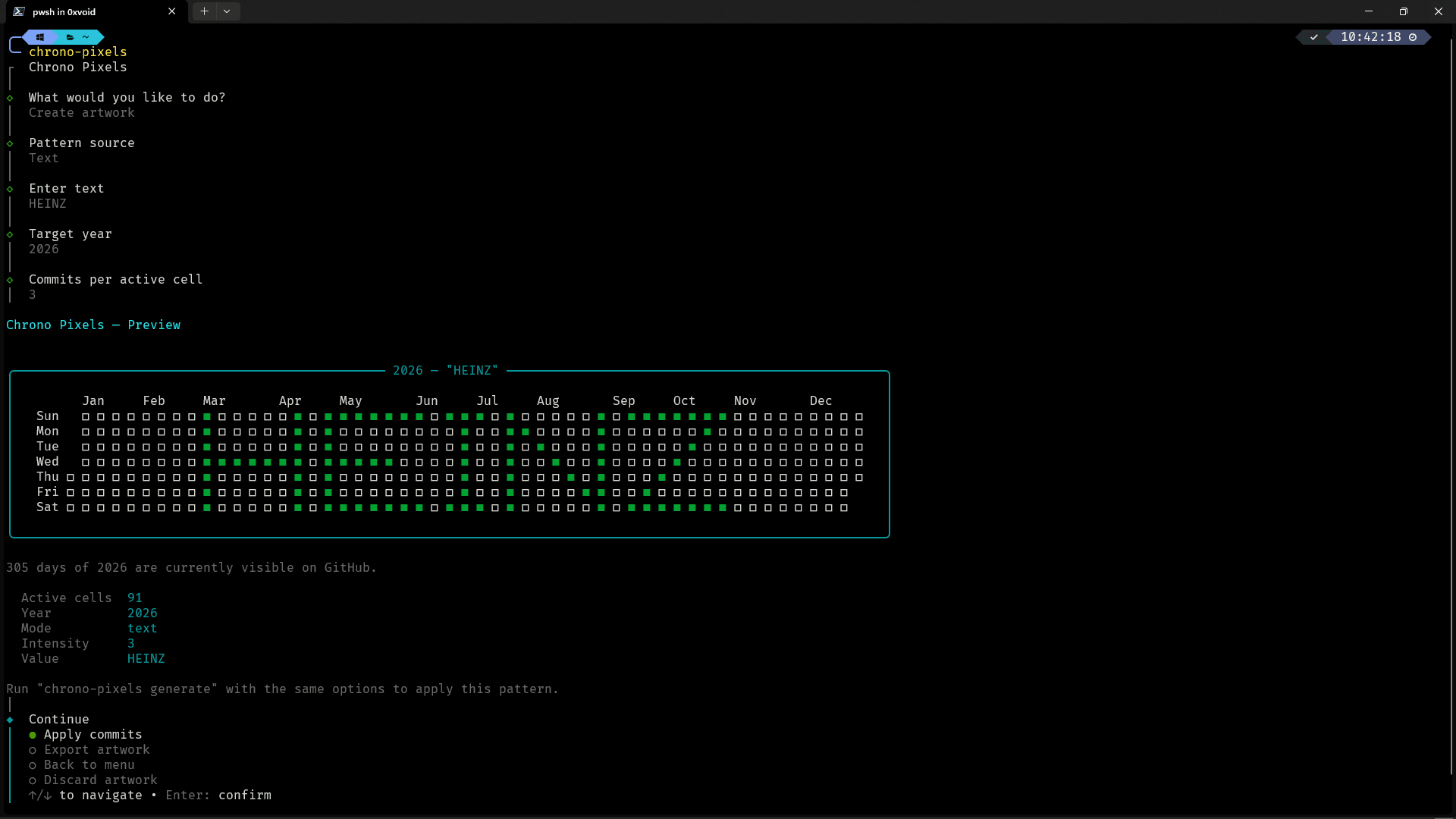
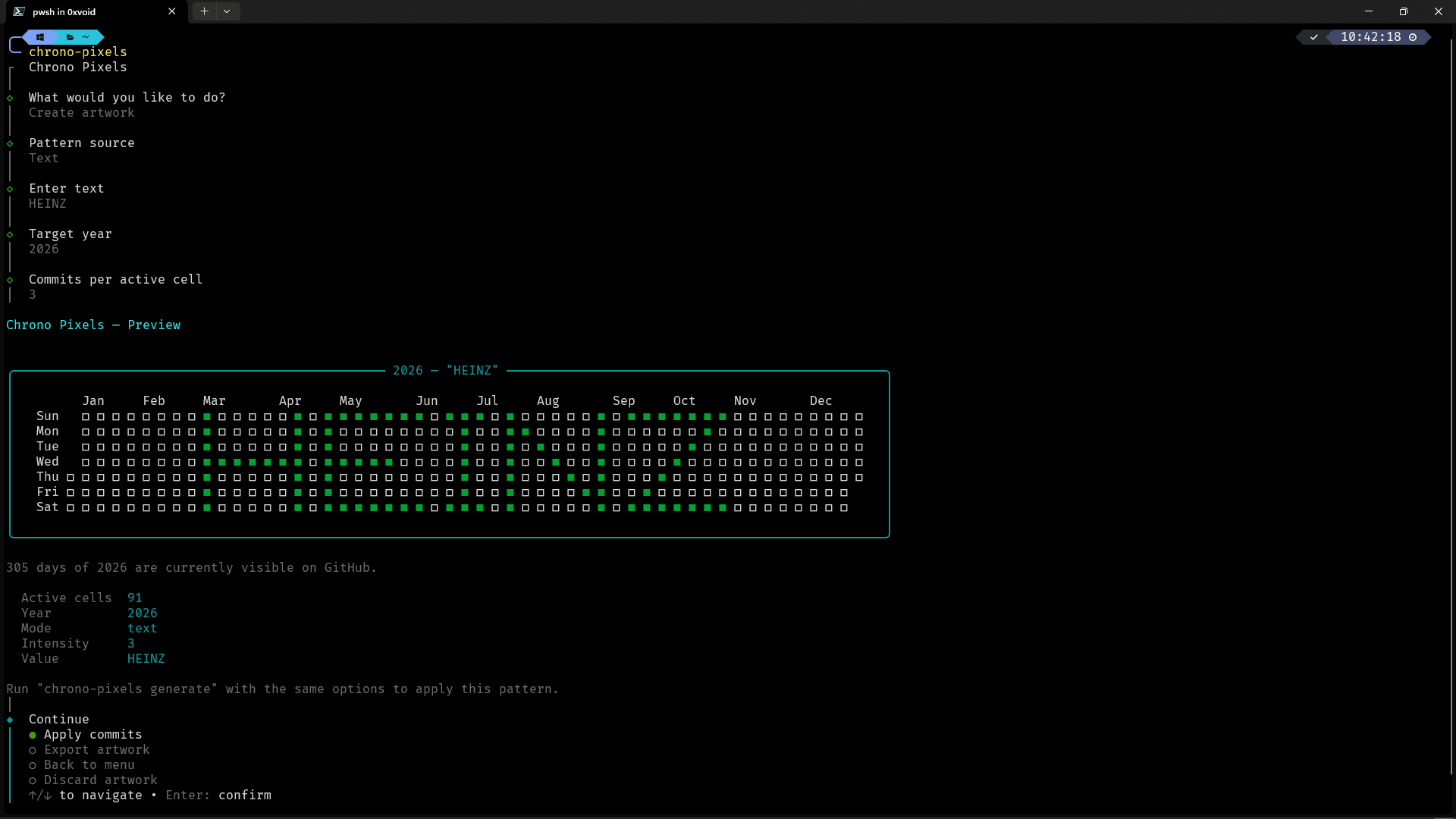
A command-line tool for creating pixel art on GitHub contribution grids. Preview text and patterns in the terminal, export the results, and generate matching backdated commits on a separate branch with restore points.
- My part
- CLI development, pattern generation, terminal previews, export formats, and Git workflow safeguards.
- Updated
- November 1, 2026
- Reading time
- 3 min read
A contribution grid as a drawing surface
A GitHub contribution grid is a calendar, but its rows and columns also resemble a small pixel canvas. Chrono Pixels explores that format through a command-line tool that turns text, shapes, and generated patterns into dated cells.
Users can preview a composition in the terminal, export it, or generate matching backdated empty commits. The project treats the grid as a creative medium rather than a measure of development activity.
Working within a small canvas
The drawing area is limited to seven rows and up to 53 columns. Text and shapes have to remain readable within those constraints, and every active cell must correspond to a calendar date.
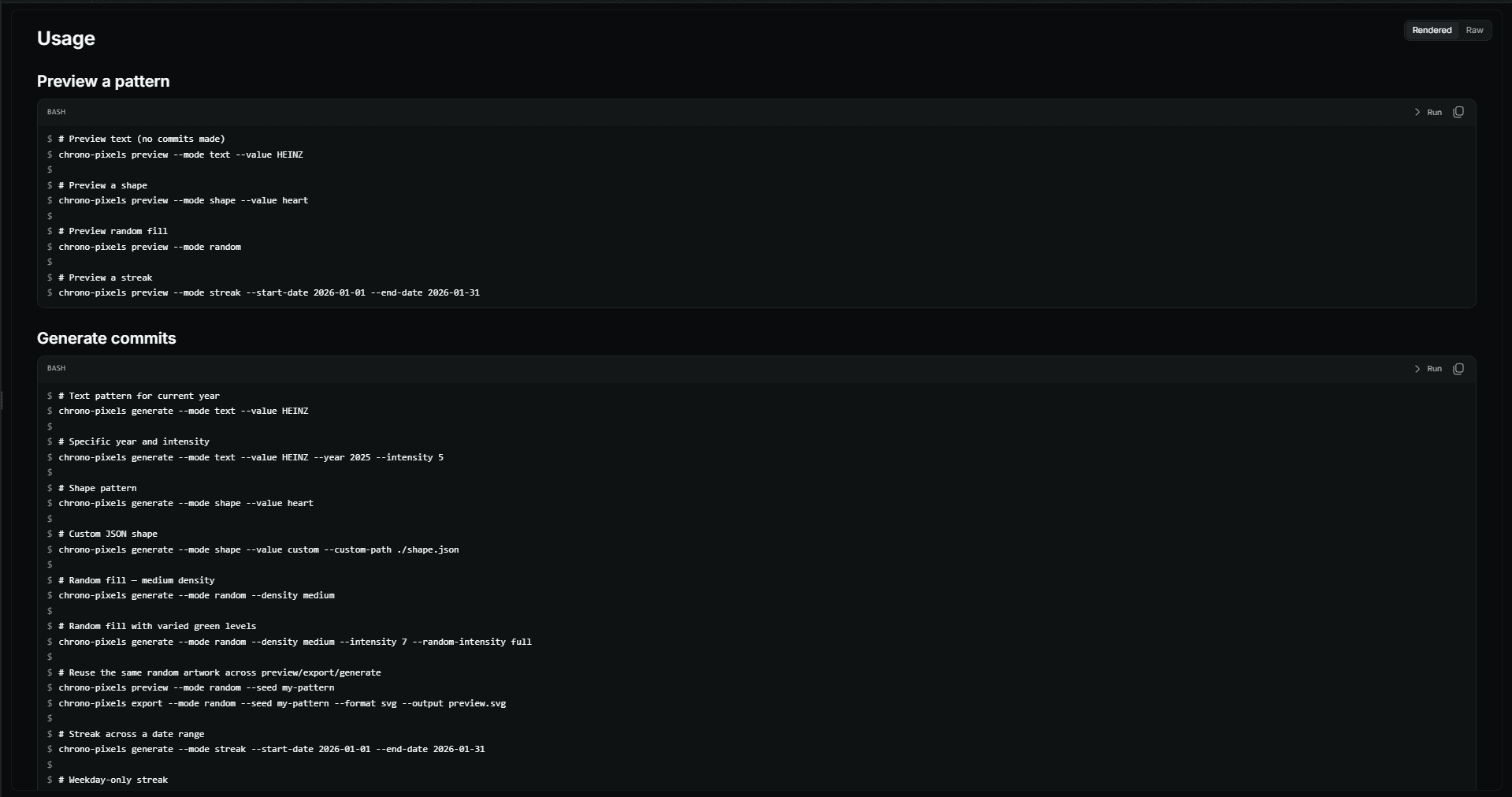
Chrono Pixels supports text rendering, preset shapes, custom patterns, random compositions, and streaks. Custom grids are validated before use. Random patterns can use a fixed seed so the same composition can be reproduced across preview, export, and commit generation.
Density and intensity serve different purposes: density controls how many cells are active, while intensity controls how many commits are assigned to an active cell.
Preview before changing a repository
The terminal preview makes the result visible before any commits are created. Users can inspect the composition, change its settings, and export it as SVG, JSON, or a dated commit list.
This separates creating the artwork from applying it to Git. A composition can be shared or saved without generating a commit history at all.
Interactive prompts guide users through the available choices, while command-line options support repeatable runs.
Keeping generated history separate
Generating dated commits changes a repository, so the Git workflow is a central part of the tool.
Chrono Pixels performs its work on a dedicated branch instead of rewriting existing branches. Before generation, it creates a restore point that the undo command can use to roll back a session.